
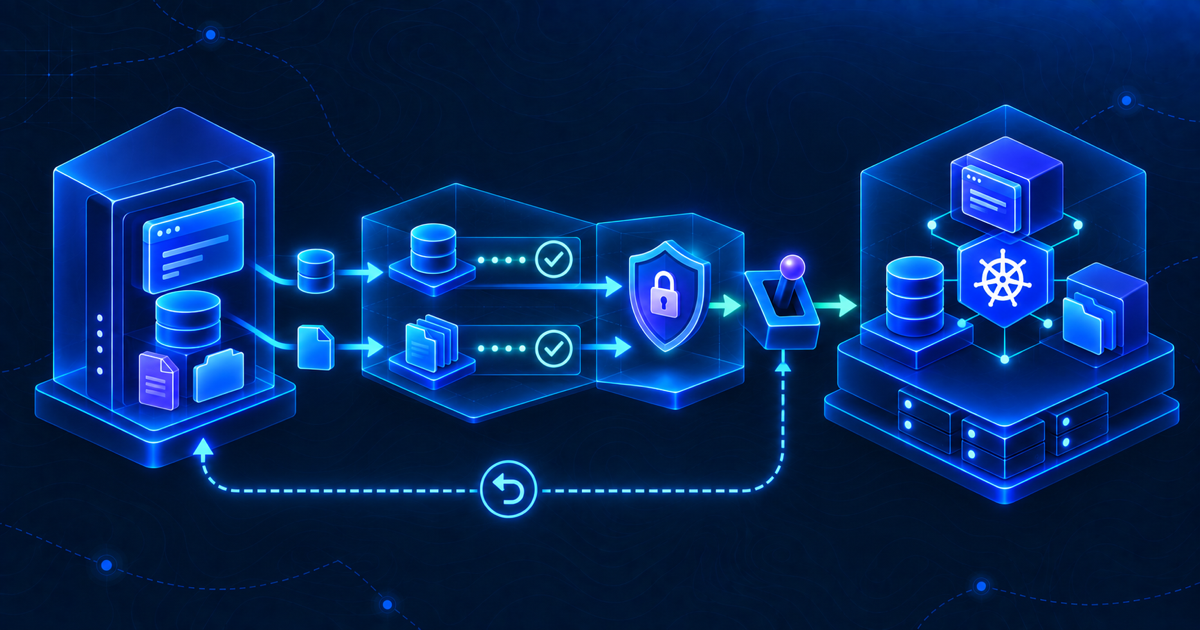
A VM to k3s migration is not complete when the pod starts. For a stateful application, success means that the same users, records, files, secrets and URLs still work after traffic moves—and that there is a credible way back if they do not.
This VM to k3s migration checklist comes from a real Snipe-IT move. The source was a traditional Ubuntu VM with Apache, PHP and local MariaDB. The target used k3s, GitLab/Argo CD, Traefik, cert-manager, a MariaDB StatefulSet and QNAP-backed NFS for application files. The application also needed a major-version upgrade, which was deliberately separated from the platform move.
The checklist is reusable for other stateful web applications, but it is not a claim that every application can be moved without downtime. The cutover needs a write-freeze or an equivalent final synchronization plan; DNS changes and rollback need to be tested for the specific service.
Table of contents
Decide what actually has to move
The first mistake in a VM to k3s migration is treating the VM as a single object. A traditional application may combine the web process, database, uploads, encryption keys, scheduled jobs, local mail settings and a public hostname on one machine. Kubernetes separates those concerns, so each needs an explicit destination and recovery method.
In the Snipe-IT case, the database was small, but uploaded files and private attachments were operationally important. The existing Laravel APP_KEY mattered as much as the SQL rows because changing it could make previously encrypted values unreadable. These details would have been easy to miss if the migration plan had focused only on the container image.
| Component | Question before cutover | Evidence required |
|---|---|---|
| Database | Where is the authoritative data? | Restored tables and representative record counts |
| Files | Which directories contain uploads or attachments? | File counts and readable sample attachments |
| Secrets | Which key values must remain unchanged? | Protected copy and application-level validation |
| Background work | Which scheduler or queue workers run on the VM? | One active owner after cutover |
| Traffic | Which DNS name and TLS certificate will users see? | Pre-DNS test with the production hostname |
| Rollback | Can the old service safely serve traffic again? | Documented switch and data-divergence rule |
1. Inventory the application and its dependencies
Record the exact source versions and locations before deploying anything new: operating system, application release, runtime, web server, database engine, database name, file paths, service accounts, scheduled tasks and mail delivery. Record the URL users actually visit, not only a test URL.
For our migration, the starting application was Snipe-IT v6.2.1 on Ubuntu 20.04 with Apache and MariaDB 10.3. The target eventually ran Snipe-IT v8.6.3, but not in the first migration milestone. Inventorying the existing version let us separate “the application works on k3s” from “the application upgrade works.”
Also identify what must stay outside Kubernetes. A VM can depend on external DNS, SMTP, NAS exports or identity services that are not being migrated. A pod starting successfully says nothing about those integrations.
2. Capture independent recovery copies
Before a stateful VM to k3s migration, create backups that can be understood and restored independently of the old VM. In the source case, this meant the application’s native backup, a separate MariaDB dump and an archive of persistent files and OAuth keys.
That is more useful than one opaque “VM backup” because the target may need only the database or only the application data. Verify that each artifact has a non-zero size, known creation time and a destination outside the source VM. Record the command or procedure that produced it and restrict access to files containing personal data or secrets.
A database dump and an archive taken at very different times can represent inconsistent application state. If users continue writing during preparation, plan either a final synchronized copy at cutover or an application-level write freeze followed by a comparison. A snapshot of the Kubernetes control plane is not a substitute for the database and file backups; the separate layers are explained in our Kubernetes disaster recovery field note.
3. Preserve identity and application secrets
List secrets that the application must continue using: encryption key, database password, mail credentials, OAuth material, signing keys and any webhook secrets. The exact list depends on the application.
For Snipe-IT, preserving the original APP_KEY was a hard requirement. The Kubernetes deployment used the existing SealedSecrets workflow rather than placing plaintext secrets in Git. The general rule is to keep secret values out of the repository and article, but verify that the new deployment receives the same values when continuity depends on them.
Do not test this by printing secrets in terminal output or a support chat. Verify their presence through controlled configuration checks and application behavior, such as decrypting a previously saved value or logging in through the normal flow.
4. Stage storage and the same application version
Decide where each type of state belongs. In this case, MariaDB ran as a StatefulSet on a local-path PVC while uploads and private files used a QNAP NFS PVC. That was a deliberate split: database I/O and shared application files have different behavior and backup needs.
The first k3s application deployment used Snipe-IT v6.2.1—the same major and minor release as the source. Only after its data and application behavior were verified was the application upgraded to v8.6.3. Combining VM→container, database upgrade, application upgrade, storage move and TLS change in one step would have made every failure ambiguous.
Use a test hostname and keep production DNS pointing at the VM. At this point, the target is a parallel validation environment, not yet the live service. Ensure that its mail, scheduled tasks or integrations cannot accidentally generate duplicate external actions while both copies exist.
5. Restore data and compare it with the source
Restore the database and file archive to their assigned target volumes. Then compare meaningful invariants, not just the exit status of an import command:
- Table count and representative application-record counts.
- User, asset, model and audit-log counts where relevant.
- Upload and private-attachment file counts.
- Presence of application-specific keys and directories.
- Ability to open a representative attachment through the target application.
In the Snipe-IT move, the restored database was checked against the source using tables and key record categories, while uploads and private uploads were counted independently. That gave us evidence that the SQL import and file transfer had both completed.
Do not assume that a matching count proves perfect consistency. It is a quick gate; the next gate is a real application read and a harmless write.
6. Test writes as the application user
File ownership can look correct and still fail on NFS because the server evaluates UID/GID mapping and ACLs. Our first target deployment exposed exactly that: the PVC was Bound and mounted read/write, but the non-root Snipe-IT process could not create an uploads directory and the web application returned HTTP 500.
Test with the identity that actually performs writes, not only root in the pod. In the source environment, the application account was docker with UID 10000. The decisive test was a small create/remove operation in each writable directory as that user. The QNAP solution used a dedicated, least-privilege service identity for the Kubernetes export rather than globally disabling ACL controls.
The full diagnostic sequence and trade-offs are in QNAP NFS Permissions for Non-Root Kubernetes Containers. The broader migration gate is simple: the application must be able to read and write its own persistent paths after a pod restart and after scheduling on any eligible worker.
7. Prepare TLS and test the final hostname early
Add the production hostname to the Ingress and certificate while public DNS still points to the VM. Confirm that the certificate is ready and that the application generates HTTPS asset URLs and correct redirects. In our case, mixed-content links required explicit application proxy/TLS settings before the cutover.
Use a one-request DNS override to reach the new endpoint under the final hostname:
curl -I \
  --resolve assets.example.com:443:10.10.10.50 \
  https://assets.example.com/
The example host and IP are placeholders. For the real cutover, the test returned the expected redirect to the login page, and CSS/JS URLs were HTTPS. This check exercises Host routing, TLS SNI, the certificate, Ingress and the application’s canonical URL without changing public DNS. Our curl –resolve guide covers the seven detailed checks.
8. Freeze writes and decide whether a final sync is needed
The most dangerous moment in a VM to k3s migration is when source and target can both accept writes. Before traffic moves, establish which copy is authoritative and prevent new writes to the old service.
Our Snipe-IT cutover had a specific fact that simplified this step: the last relevant change had already been verified on k3s, and no new changes had been made on the old VM since the transfer. On that evidence, a new dump was not needed. This is not a general rule. If the source has changed since the last backup or import, take a final consistent database and file delta while writes are stopped, restore it to the target and repeat the comparisons.
Record the cutover timestamp and the final source state. Without that evidence, it is easy to end up with two divergent databases and no clear rollback path.
9. Move traffic with a rollback plan
Only after target validation should the production hostname move. In the source case, the old Apache service was stopped first, while the VM and its MariaDB instance remained available. DNS was then changed to the k3s ingress address. This prevented the old application from continuing to accept writes after the switch, while preserving the machine as a rollback option.
Verify DNS from the relevant resolvers, then make the same HTTPS request without --resolve. The response should match the pre-cutover test. Finally, open the application in a browser and test login, a database-backed page and an attachment.
Rollback is not just reversing DNS. If users have written new data to k3s after cutover, sending them back to the old VM can lose or split those changes. Define the data reconciliation decision before declaring rollback “easy.” DNS TTL, resolver caching and client behavior also make the return path non-instantaneous.
10. Validate users and reconcile GitOps
Use a short post-cutover checklist based on the application’s real behavior:
- Login and authorization work for an ordinary user.
- One database-backed record opens and one harmless change persists.
- Public and private attachments are readable.
- Mail or notification flow works if it is in scope.
- Application and ingress logs show no new 500, TLS or database errors.
- Background jobs run once, not on both the VM and k3s.
For this migration, the user confirmed that the production URL worked after DNS cutover. The GitOps follow-up was to merge the deployment branch into main and point the Argo CD Application at that branch, then verify it remained Synced and Healthy. Do not leave production indefinitely tracking an unmerged migration branch.
Keep the source VM for an agreed observation period, but do not mistake “powered on” for a tested rollback. Document what is running, what is intentionally stopped, and how a data-safe return would work.
The VM to k3s migration stop/go checklist
| Gate | Go only when… |
|---|---|
| Recovery | Independent database, file and secret copies exist and can be located |
| Target | Application starts at the intended version and has healthy probes |
| Data | Representative DB records and file counts match the source |
| Permissions | The non-root application user can write every required persistent path |
| Edge | Final hostname, certificate, redirects and static assets pass pre-DNS tests |
| Authority | Old writes are frozen and final synchronization has been decided |
| Rollback | Operators know how to return traffic without silently discarding new data |
| Aftercare | Browser, database, attachment, mail and GitOps checks are assigned |
Conclusion
A safe VM to k3s migration is a sequence of proof points, not a single deployment command. The Snipe-IT case worked because platform migration and application upgrade were separated, state was backed up in independent pieces, NFS permissions were tested as the real application user, the final hostname was validated before DNS changed, and the old VM remained available while the new service was observed.
Use this checklist to design your own cutover, then adapt the exact commands, downtime window and rollback rules to the application’s data model. The goal is not to make the move look effortless; it is to make every irreversible moment visible and deliberate.