
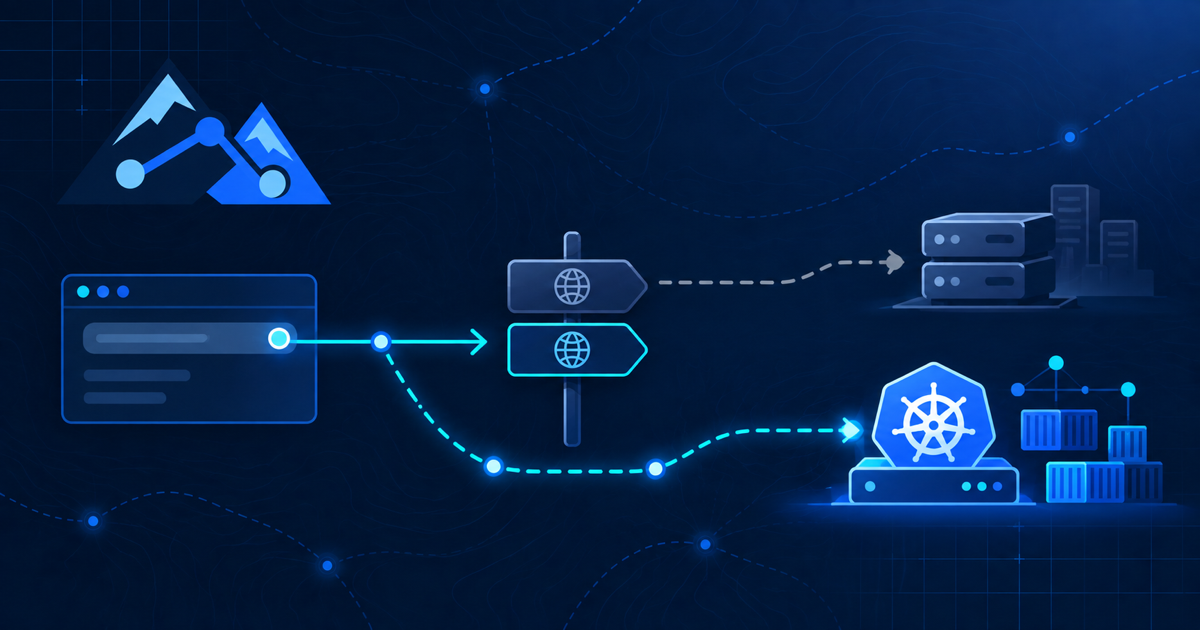
curl –resolve is one of the safest ways to test a new Kubernetes Ingress before a DNS cutover. It lets me send a real HTTPS request to the new endpoint while keeping the production hostname, Host header, TLS SNI, certificate validation, redirects and application URLs intact. Public DNS remains unchanged, so users continue to reach the old service while I validate the replacement.
I used this technique during a real Snipe-IT migration to k3s. The new application had to be tested through Traefik with its final hostname before the DNS record could move away from the legacy VM. A successful HTTP/2 302 response to the expected login page gave me much more confidence than a simple IP-address check.
Table of contents
What curl –resolve actually does
The syntax is simple:
curl --resolve hostname:port:target-ip https://hostname/For one request, curl maps that hostname and port to the IP address I provide. The URL still contains the production hostname, so the request behaves as if DNS already pointed to the new server. The public DNS zone is not changed, there is no cache to wait for, and other users are not affected.
The official curl documentation for --resolve describes it as a command-line alternative to adding a host and address pair to /etc/hosts. The important difference from editing that file is scope: the override exists only for the command in front of me.
For example, this sends a HEAD request for assets.example.com to the new Traefik virtual IP at 10.10.10.50:
curl -I --resolve assets.example.com:443:10.10.10.50 https://assets.example.com/Why a Host header is not enough for HTTPS
A common test is curl -H "Host: assets.example.com" https://10.10.10.50/. That can help with plain HTTP, but it is not an equivalent end-to-end HTTPS test.
With HTTPS, the hostname in the URL influences TLS Server Name Indication (SNI) and certificate verification before the HTTP Host header is useful. Calling the IP directly may select the wrong certificate or the wrong virtual host. Manually setting only the Host header can therefore create a failure that real users would never see—or hide a routing problem they would see.
curl --resolve preserves the production hostname throughout the request while changing only its destination address. That makes it appropriate for testing host-based Ingress rules, TLS certificates and application redirects together.
What you need before testing
Before running the checks, I want four things in place:
- The new load-balancer or Ingress IP is reachable from my workstation.
- The Kubernetes Ingress contains the final production hostname.
- The endpoint presents a certificate whose subject alternative names include that hostname.
- The application and its upstream dependencies are healthy enough to serve a request.
I also keep the old environment running. The purpose of this test is to validate the new path before the irreversible-looking part of the change window begins.
Seven curl –resolve checks before the DNS cutover
1. Confirm basic routing and the expected status
curl -I --resolve assets.example.com:443:10.10.10.50 https://assets.example.com/I do not require every application to return 200 OK. A protected application may correctly return 302 Found and redirect to a login page. What matters is that the status matches the application’s normal behavior.
2. Inspect the TLS handshake and certificate
curl -v --resolve assets.example.com:443:10.10.10.50 https://assets.example.com/ -o /dev/nullVerbose output shows the connection target, TLS negotiation, certificate name and response headers. I look for a certificate that covers the requested hostname and a successful verification result.
For an internal certificate authority, the better option is to provide the CA explicitly:
curl --cacert /path/to/internal-ca.pem --resolve assets.example.com:443:10.10.10.50 https://assets.example.com/-k or --insecure can isolate a certificate-trust problem in a lab, but it disables verification. It should not be the result used to approve a production cutover.
3. Follow redirects all the way to the destination
curl -IL --resolve assets.example.com:443:10.10.10.50 https://assets.example.com/This exposes incorrect schemes, ports and hostnames. A redirect to an old temporary hostname is a warning that the application’s base URL, reverse-proxy headers or trusted-proxy settings still need attention.
4. Prove which endpoint answered
curl -sS -o /dev/null   -w 'remote_ip=%{remote_ip}
http_code=%{http_code}
'   --resolve assets.example.com:443:10.10.10.50   https://assets.example.com/
The remote_ip value removes ambiguity when the legacy service is still live. I can record both the selected endpoint and its HTTP result in the change notes.
5. Check the login page and static asset URLs
curl -sS --resolve assets.example.com:443:10.10.10.50 https://assets.example.com/login | grep -Eo '(href|src)="[^"]+"' | headThis quick inspection catches pages that load but still reference an old host, a temporary lab name or plain HTTP. For a deeper check I request a few CSS, JavaScript and image URLs individually with the same --resolve mapping.
6. Test a health or application endpoint
If the service has a safe, unauthenticated health endpoint, I test it through the public hostname and Ingress rather than calling the pod directly:
curl -fsS --resolve assets.example.com:443:10.10.10.50 https://assets.example.com/healthA pod-level health check proves the container is alive. This request proves the client-facing path—load balancer, Traefik, Ingress rule, Service and application—works as a chain.
7. Repeat the exact request from the cutover runbook
The final test should resemble the first real user request after DNS changes. I run it from the same network location, use the final URL, preserve certificate verification and save the expected result. If the application has both a root domain and a redirect target, I add a --resolve entry for each hostname.
How to read common failures
| Result | Likely layer to inspect |
|---|---|
| Certificate name mismatch | TLS secret, certificate SANs, SNI or the wrong Ingress endpoint |
404 from the proxy |
Ingress host/path rule or the request reaching a different controller |
502 or 504 |
Service endpoints, target port, readiness or application connectivity |
| Connection refused or timeout | Load balancer, firewall, listener, routing or VPN path |
| Redirect to an old hostname | Application base URL, proxy headers or cached configuration |
| HTML loads but assets fail | Absolute asset URLs, mixed content, secondary hostnames or path rewriting |
This is why one successful response is not enough. Each result narrows the failure domain before DNS introduces caching and user traffic into the investigation.
What the real migration test proved
During the Snipe-IT move from a legacy VM to k3s, public DNS still directed users to the old server. I mapped assets.example.com:443 to the new Traefik IP only inside the curl command.
curl --resolve assets.example.com:443:10.10.10.50 https://assets.example.com/The new path returned HTTP/2 302 with a location pointing to the expected login page. I also verified that the returned page used the production hostname for its CSS and JavaScript resources. That result demonstrated that TLS termination, host-based routing, the application URL and the first user-facing redirect were already aligned.
Only after those checks did I stop Apache on the old VM and change DNS to the Traefik virtual IP. The test did not eliminate every migration risk, but it removed several unknowns before the cutover.
DNS cutover checklist
- Confirm the production hostname exists in the Ingress rule.
- Validate the certificate chain and hostname without
--insecure. - Record the expected status code and redirect destination.
- Verify important static assets use HTTPS and the intended hostname.
- Confirm authentication cookies and callback URLs where applicable.
- Watch Ingress and application logs while running the test.
- Lower DNS TTL in advance when the change process allows it.
- Keep a clear rollback path to the old service.
- Repeat the request without
--resolveafter DNS propagates.
Frequently asked questions
Does curl –resolve change DNS for anyone else?
No. The mapping applies only to that curl invocation. It does not edit the DNS zone or affect other clients.
Is curl –resolve the same as editing /etc/hosts?
The routing effect is similar for the named host and port, but --resolve is temporary, explicit and scoped to one command. It is easier to include safely in a runbook.
Can it test multiple hostnames?
Yes. Add --resolve more than once. This is useful when the first URL redirects to another application hostname that must also reach the new environment.
Does this replace browser testing?
No. It is excellent for transport, TLS, routing, headers, redirects and individual resources. A browser test is still valuable for JavaScript behavior, interactive authentication and a complete user workflow.
curl –resolve turns a DNS cutover from a first-time production test into a final routing change after the important client-facing checks have already passed. For small migrations, that single command can be the difference between guessing and having evidence.