
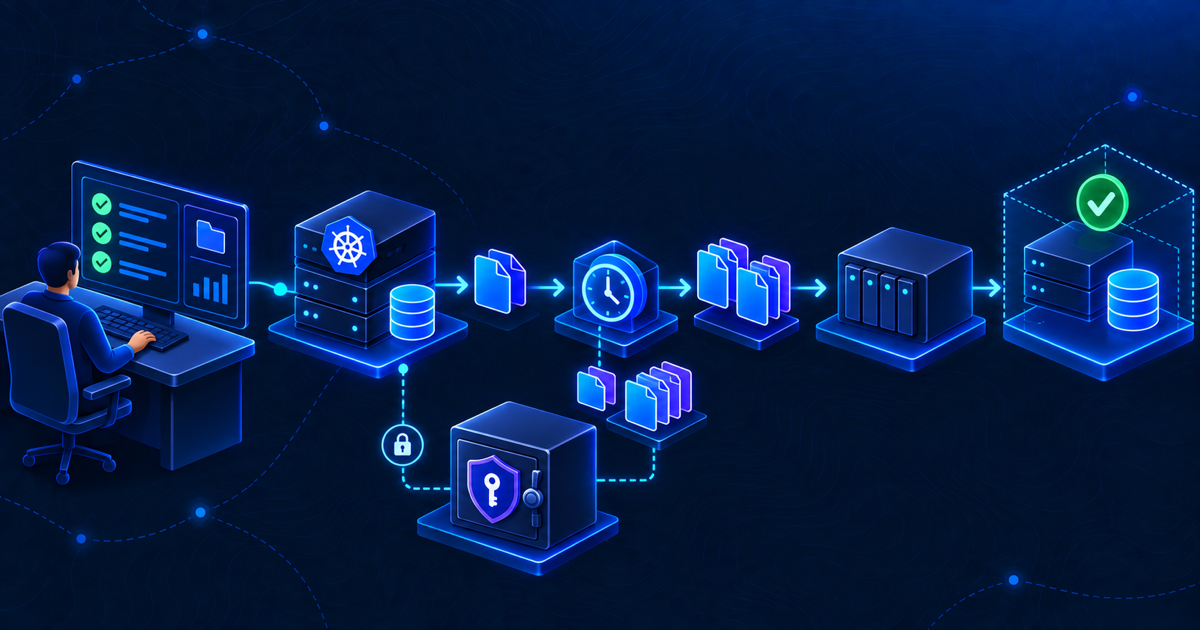
A backup job that exits successfully is useful evidence, but it is not proof of recovery. This runbook shows how to audit k3s etcd backups without changing the running cluster: identify the datastore, inventory snapshots, inspect schedule and retention, verify the protected server token, confirm the off-host copy and prepare an isolated restore drill.
Quick answer: k3s etcd-snapshot save command
On a k3s server node that uses embedded etcd, create a clearly named on-demand snapshot with:
sudo k3s etcd-snapshot save --name "manual-audit-$(date +%Y%m%d-%H%M)"Then confirm that k3s registered the new snapshot:
sudo k3s etcd-snapshot lsThe save command creates an on-demand snapshot; it does not prove that the cluster can be restored. Record the returned filename, location, timestamp and size, then continue with the retention, off-host copy, server-token and isolated restore checks below. On-demand snapshots should be tracked separately from scheduled-snapshot retention. See the official k3s etcd-snapshot command reference for version-specific options.
The procedure grew out of a real small-cluster setup with three k3s control-plane nodes and a script that copies snapshots to QNAP. The copy had worked, but several questions still needed explicit answers: Is it still scheduled? How many snapshots exist? Is the NAS mounted when the job runs? Is the matching server token protected? Has any snapshot actually been restored?
Safety boundary: Steps 1–9 are inspection or controlled snapshot creation. Step 10 is a restore exercise for an isolated disposable environment. Do not run a cluster-reset restore against production merely to test a backup.
Table of contents
What you need to audit k3s etcd backups
Run the inspection on a k3s server node with sudo access. The examples assume the default data directory, /var/lib/rancher/k3s. If the cluster uses a custom data-dir, adjust all paths after you identify it.
Keep a private audit record containing the date, node, k3s version and results. Do not paste configuration files blindly into a ticket or chat: they may contain datastore credentials, S3 credentials or tokens.
Start by recording the version:
sudo k3s --version
sudo systemctl is-active k3s
The authoritative reference for the commands and defaults in this guide is the current k3s etcd-snapshot documentation.
1. Confirm the datastore type
The native k3s etcd-snapshot workflow applies to embedded etcd. K3s can also use embedded SQLite or an external datastore, and those require different backup procedures. The official backup and restore page describes the difference.
Inspect only the relevant configuration keys:
sudo grep -E '^(cluster-init|server:|datastore-endpoint:|data-dir:|etcd-)' /etc/rancher/k3s/config.yaml
Also inspect the service command without printing environment files that may contain secrets:
sudo systemctl cat k3s
In a three-server cluster initialized with embedded etcd, you will usually see cluster-init: true on the first server or server-join configuration on peers, and no external datastore-endpoint. If the result is ambiguous, stop and establish the datastore architecture before evaluating snapshot coverage.
2. List snapshots through k3s
When you audit k3s etcd backups, start by asking k3s for its snapshot inventory:
sudo k3s etcd-snapshot ls
For each entry, record:
- snapshot name and whether it is scheduled or on-demand;
- location, including local filesystem or S3-compatible storage;
- creation timestamp;
- file size;
- which server node created it.
You want multiple recent snapshots with plausible sizes. A single file, a large age gap or an unexpected fall in size is a reason to investigate. Size consistency does not prove correctness, but it is a useful anomaly signal.
If the command returns nothing, do not immediately create a new policy around assumptions. First confirm the datastore and whether snapshots were disabled or redirected to a custom directory.
3. Inspect snapshot files, age and size
The default snapshot directory is:
/var/lib/rancher/k3s/server/db/snapshots
Inspect it without modifying anything:
sudo ls -lah /var/lib/rancher/k3s/server/db/snapshots/
To see files ordered by modification time:
sudo find   /var/lib/rancher/k3s/server/db/snapshots   -maxdepth 1 -type f   -printf '%TY-%Tm-%Td %TH:%TM %12s %f
'   | sort
If data-dir is customized, the snapshot directory defaults below that directory instead. Compare the filesystem inventory with k3s etcd-snapshot ls. Unexpected files may be old manual snapshots that are not governed by scheduled retention.
4. Read the effective schedule and retention
When you audit k3s etcd backups, remember that k3s currently enables scheduled embedded-etcd snapshots by default at midnight and noon system time, retaining five. These are defaults, not evidence of the active policy. Configuration can override them with:
etcd-snapshot-schedule-cron:
etcd-snapshot-retention:
etcd-snapshot-dir:
etcd-snapshot-compress:
etcd-disable-snapshots:
Check the configuration without dumping unrelated secret values:
sudo grep -E '^(etcd-snapshot|etcd-disable-snapshots|data-dir:)' /etc/rancher/k3s/config.yaml
Then compare the declared schedule with actual timestamps from Steps 2 and 3. Five snapshots at twelve-hour intervals cover only a short window. Decide whether that is sufficient for the cluster’s recovery point objective and for problems discovered several days later.
5. Find the automation that copies snapshots
In the source environment, the off-host copy script was:
/usr/local/sbin/k3s-etcd-backup-to-qnap.sh
Confirm that the file exists, is owned appropriately and is not writable by ordinary users:
sudo stat /usr/local/sbin/k3s-etcd-backup-to-qnap.sh
Find how it is scheduled:
sudo systemctl list-timers --all   | grep -iE 'k3s|etcd|snapshot|backup'

sudo crontab -l
If the script is invoked through a systemd service or timer, inspect both units:
sudo systemctl cat   k3s-etcd-backup-to-qnap.service

sudo systemctl cat   k3s-etcd-backup-to-qnap.timer
Unit names can differ, so use the timer listing rather than assuming these exact names. Confirm the last and next run, service exit status, and whether failures are visible to monitoring.
6. Verify the QNAP or other off-host destination
To audit k3s etcd backups end to end, confirm that the destination is available when the copy script runs. Discover active NFS mounts:
findmnt -t nfs,nfs4
Then inspect the relevant mount and free space using the path returned by findmnt:
findmnt /mnt/example-k3s-backup

df -h /mnt/example-k3s-backup
Replace the example path with the real mount; do not invent it in the runbook. Check the backup log used in this environment:
sudo tail -n 100 /var/log/k3s-etcd-backup-to-qnap.log
Look for a recent successful run, the exact copied filename, destination errors and retention activity. A mounted empty directory can hide a failed NFS mount and cause a script to write to the local root filesystem instead, so the script should explicitly verify the filesystem type before copying.
A QNAP copy is off the control-plane node, but it may not be off-site. Document shared risks such as power, location, administrator credentials and ransomware exposure. Consider an additional protected copy or K3s’s native S3-compatible snapshot support where appropriate.
7. Verify the server token without exposing it
K3s requires the original server token to decrypt confidential bootstrap data during restore. The live file is:
/var/lib/rancher/k3s/server/token
Verify existence, non-zero size, owner and permissions without printing the value:
sudo test -s   /var/lib/rancher/k3s/server/token

sudo stat -c '%a %U:%G %n'   /var/lib/rancher/k3s/server/token
Next, verify that a protected backup copy exists outside the failed-node scenario. If the path is known, cmp can confirm equality without writing the token to standard output:
sudo cmp -s /var/lib/rancher/k3s/server/token /secure/off-host/path/server-token
Check the command’s exit status in your private session. Do not log token contents or place an unencrypted token beside broadly readable snapshots. Restrict both and record who can retrieve them during an incident.
8. Create one labeled on-demand snapshot
After the read-only checks pass, create a clearly named audit snapshot:
sudo k3s etcd-snapshot save --name pre-restore-audit
List snapshots again and record the new entry:
sudo k3s etcd-snapshot ls
On-demand snapshots do not automatically inherit the scheduled snapshot retention behavior. Track or delete test snapshots according to the approved policy after the restore drill. Do not let audit files accumulate indefinitely.
9. Compare the local and off-host copy
A useful way to audit k3s etcd backups is to run the approved copy mechanism, then confirm that the same named snapshot exists at the destination with the expected size and modification time. A cryptographic hash is useful for comparing the two files:
sudo sha256sum   /var/lib/rancher/k3s/server/db/snapshots/pre-restore-audit-*

sha256sum   /mnt/example-k3s-backup/pre-restore-audit-*
Use the actual filename returned by the snapshot inventory and the real mount path. Matching hashes show that the copied bytes are identical. They still do not prove that the snapshot can recover the cluster—that requires Step 10.
Also verify that the copy job produces a non-zero exit status on failure and that someone will notice. A silent log on one control-plane node is not an alerting strategy.
10. Schedule an isolated restore test
The final step when you audit k3s etcd backups is not another listing command. It is a controlled restore in a disposable environment.
Prepare:
- a temporary server VM on an isolated network;
- one selected snapshot and its matching original server token;
- the cluster’s k3s version and the current official restore documentation;
- an independent administrator workstation and kubeconfig plan;
- a written list of objects and services to verify.
Follow the official k3s snapshot restore procedure for the test environment. K3s validates the snapshot checksum during restoration and resets etcd membership as part of the documented process. Because those operations change cluster state, this article intentionally does not turn them into a copy-and-paste production command block.
After the temporary control plane starts, verify at least:
kubectl get nodes
kubectl get namespaces
kubectl get deployments -A
kubectl get pvc -A
kubectl get crd
Confirm that expected Secrets, Ingresses, certificates and Argo CD objects exist without displaying secret values. Attach a disposable worker and check that a harmless workload can schedule. Remember that PVC objects may return while their external NFS data still requires a separate restore.
Record the chosen snapshot, test date, elapsed recovery time, deviations from the runbook and evidence. Repeat the drill after major k3s architecture changes and on a regular schedule appropriate to the environment.
Define a pass or fail result
A concise audit summary prevents “mostly checked” from becoming “fully protected.”
| Control | Pass condition |
|---|---|
| Datastore | Embedded etcd is confirmed and documented |
| Snapshot inventory | Recent snapshots exist with expected cadence and plausible size |
| Schedule and retention | Configuration matches the approved RPO and retention policy |
| Automation | Timer or cron schedule, ownership, exit status and alerting are known |
| Off-host copy | Destination is genuinely mounted; latest bytes match the source |
| Server token | Protected matching copy exists and its value was not exposed |
| Restore test | Isolated restore completed and required objects were verified |
| Application data | Database and PVC backups have separate tested procedures |
If the restore test or application-data rows fail, the correct result is “backup files exist, recovery is not yet proven.” The companion field note, Kubernetes Disaster Recovery: Why an etcd Snapshot Is Only One Layer, explains how the other layers fit around this audit.
Conclusion
To audit k3s etcd backups properly, trace the entire path from active datastore to recoverable control plane: current snapshots, effective schedule, retention, off-host copy, original server token and an isolated restore. Then treat databases and PVC contents as separate recovery streams.
The inspection commands take minutes. The restore drill takes more preparation, but it is the step that turns a collection of snapshot files into operational confidence.