
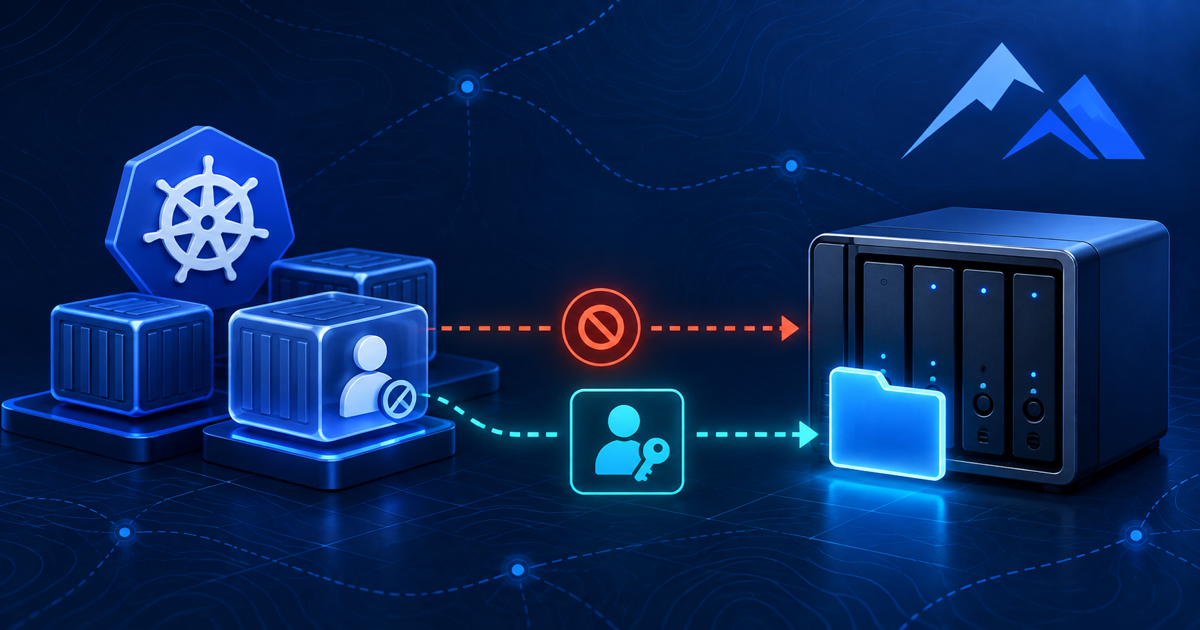
QNAP NFS permissions can be deceptive when a Kubernetes volume is mounted read/write, the directory owner matches the container UID, and root can create files—but the non-root application still receives Permission denied. That exact pattern appeared during a real Snipe-IT upgrade on k3s.
The application returned HTTP 500 because Laravel could not create a directory under its uploads path. The NFS PersistentVolume was Bound, the mount was rw, and ordinary Unix ownership looked correct. Repeating chown and chmod did not help. The actual control point was the NAS: QNAP ACL evaluation and NFS identity mapping.
This How-To presents the diagnostic sequence that isolated the problem and the share-scoped fix that restored non-root writes without globally changing NAS permissions.
Table of contents
QNAP NFS permissions: recognize the failure pattern
The incident began after Snipe-IT was upgraded in Kubernetes. Database migrations completed, the container started, and the web server ran. The application then returned HTTP 500. Its Laravel log contained the useful error:
League\Flysystem\UnableToCreateDirectory

Unable to create a directory at:
/var/www/html/public/uploads
The persistent data lived on a QNAP-backed NFS PVC. The application image ran its writable workload as:
uid=10000(docker) gid=50(staff)At first glance, the directories appeared to match that identity. Nevertheless, the application user could not create a file. Root inside the same pod could.
| Observation | What it suggests |
|---|---|
PVC is not Bound |
Provisioning or claim problem; do not troubleshoot file ACLs yet |
| Mount is read-only | Pod, PV, export or QNAP host-access configuration |
| Root and non-root both fail | Read-only export, stale mount, path problem or server-side denial |
| Root writes, non-root fails | UID/GID mapping, mode bits or an ACL affecting the application identity |
| Owner matches, mode allows write, non-root still fails | Server-side ACL or NFS identity mapping is the leading suspect |
1. Start with the application error
Do not begin by recursively changing permissions. First prove that the failure is a filesystem write and identify the exact path.
For this Snipe-IT deployment, the Laravel log was the fastest source:
kubectl exec -n snipe-it deployment/snipe-it -- tail -100 storage/logs/laravel.logFor another application, use its container logs and then inspect the path named in the exception:
kubectl logs -n <namespace> deployment/<application> --tail=200A generic HTTP 500 is not enough evidence. The storage path in the exception connects the application failure to the mounted PVC.
2. Identify the real application UID and GID
A container may start as root while Apache, PHP, Nginx or a worker process drops privileges. Running a bare id can therefore report the entrypoint identity rather than the user that needs to write.
In the real incident, the image contained a named application account:
kubectl exec -n snipe-it deployment/snipe-it -- id dockerThe result was:
uid=10000(docker) gid=50(staff) groups=50(staff)Record numeric IDs, not only names. NFS with sec=sys primarily carries numeric UID and GID values; the QNAP does not need to have a local account called docker to see a request from UID 10000.
Also inspect the deployment’s security context:
kubectl get deployment snipe-it -n snipe-it -o jsonpath='{.spec.template.spec.securityContext}{"\n"}{.spec.template.spec.containers[0].securityContext}{"\n"}'Kubernetes documents how runAsUser, runAsGroup and fsGroup influence process and supported volume ownership. Those settings are worth checking, but they cannot override a NAS ACL that denies the resulting identity.
3. Test QNAP NFS permissions as root and non-root
This is the decisive test for many QNAP NFS permissions problems. First create and remove a file using the default exec identity:
kubectl exec -n snipe-it deployment/snipe-it --   touch /var/lib/snipeit/data/uploads/.root-write-test

kubectl exec -n snipe-it deployment/snipe-it --   rm -f /var/lib/snipeit/data/uploads/.root-write-test
Then repeat the test as the account used by the application:
kubectl exec -n snipe-it deployment/snipe-it -- su -s /bin/sh docker -c 'touch /var/lib/snipeit/data/uploads/.write-test'The actual result was:
touch: cannot touch '.write-test': Permission denied
command terminated with exit code 1
Root succeeded while UID 10000 failed. That ruled out a generally unavailable PVC and focused the investigation on identity-specific access.
If the image has no su, launch a temporary diagnostic pod that mounts the same claim and runs with the target runAsUser/runAsGroup. Do not add packages or alter the production container merely to obtain a troubleshooting tool.
4. Inspect ownership behind QNAP NFS permissions
Use numeric output so local username resolution does not confuse the result:
kubectl exec -n snipe-it deployment/snipe-it -- ls -ldn /var/lib/snipeit/data /var/lib/snipeit/data/uploads /var/lib/snipeit/data/private_uploadsAfter chown and chmod, the directories looked writable:
drwxrwxr-x+ ... 10000 50 ... uploads
drwxrwxr-x+ ... 10000 50 ... private_uploads
UID 10000 owned the directories and the owner write bit was present. The trailing + was the important clue: an additional ACL existed. It did not by itself identify the denying entry, but it proved that POSIX mode bits were not the entire permission model.
getfacl was not installed in the application image, and repeatedly changing the directory from the container produced no progress. At this point, more chmod 777 would only weaken the visible Unix permissions without changing the effective QNAP decision.
5. Prove that the NFS mount is read/write
kubectl exec -n snipe-it deployment/snipe-it -- sh -c 'mount | grep /var/lib/snipeit'The important fields in the real output were:
type nfs4
rw
vers=4.1
sec=sys
rw confirmed that the client mount was not intentionally read-only. sec=sys also supported the UID/GID investigation. A genericized mount looked like this:
10.10.10.20:/k3s-nfs/<pvc-directory> on /var/lib/snipeit type nfs4 (rw,vers=4.1,hard,proto=tcp,sec=sys)If the mount shows ro, stop here and inspect the container’s volumeMount.readOnly, the PV definition, export settings and QNAP host access. Identity mapping cannot make a read-only mount writable.
6. Inspect the PVC and PersistentVolume
Confirm the claim, StorageClass and actual NFS path:
kubectl get pvc -n snipe-it snipe-it-data -o wide

PV_NAME=$(kubectl get pvc -n snipe-it snipe-it-data   -o jsonpath='{.spec.volumeName}')

kubectl get pv "$PV_NAME" -o yaml
Look for:
status:
  phase: Bound
spec:
  accessModes:
    - ReadWriteMany
  nfs:
    server: 10.10.10.20
    path: /k3s-nfs/<pvc-directory>
Kubernetes explains that an NFS volume mounts an existing server export into a pod and can be shared by multiple writers. Kubernetes performs the mount; the NFS server still evaluates access to files and directories.
Also check which worker currently hosts the pod:
kubectl get pod -n snipe-it -l app.kubernetes.io/name=snipe-it -o wideThat node’s address must have read/write access on the QNAP. Every eligible future node needs the same access, otherwise the application may fail only after rescheduling.
7. Audit QNAP NFS permissions and ACLs in QTS
In QTS, open the shared folder used by the StorageClass and inspect its NFS rules. The exact labels vary slightly by QTS release, but the path is generally:
Control Panel
  → Privilege
  → Shared Folders
  → Edit Shared Folder Permission
  → NFS host access
For every Kubernetes node allowed to run the workload, verify:
- The host or subnet entry is intentional and narrowly scoped.
- Access right is Read/Write.
- The Squash setting matches the chosen identity model.
- The anonymous user and group have effective read/write permission on this share.
One worker in the real environment was accidentally configured read-only. It was not the cause of the current incident because the pod ran on a different worker, but it would have caused the application to fail after a later reschedule.
Next inspect Advanced Folder Permissions and Windows ACL support. Both were enabled on this NAS. Rather than disabling either option globally, I treated the share as having an additional ACL layer and fixed the NFS identity at the export boundary.
This cautious approach matters because QNAP documents that effective shared-folder access can depend on several user and group permissions, with No Access/Deny taking priority. A global ACL change may alter unrelated SMB and NFS shares.
8. Fix QNAP NFS permissions with deterministic identity mapping
For this dedicated Kubernetes share, I created a QNAP service account named:
k3s-nfsThe account had:
- No administrator privileges.
- No access to unrelated shares.
- Read/write access only to the Kubernetes NFS share.
For each k3s node under NFS host access, the final configuration was:
Access right:     Read/Write
Squash option:    Squash all users
Anonymous user:   k3s-nfs
Anonymous group:  <primary group of k3s-nfs>
According to QNAP’s NFS service documentation, Squash all users maps every client request to a single anonymous identity on the NAS. In this design, that anonymous identity was a controlled, least-privilege service account that the QNAP ACL already allowed to write.
This removed the requirement for the NAS to recognize every UID used by every container image. UID 10000 could remain the application’s local identity, while all requests arriving at this dedicated NFS export were evaluated as k3s-nfs.
I did not change global ACL settings and did not grant broad access to an existing administrative service account. Keeping the identity and permission scope specific to k3s-nfs reduced the blast radius.
9. Verify QNAP NFS permissions as the application user
Test the existing mount before restarting anything; QNAP may apply the mapping immediately:
kubectl exec -n snipe-it deployment/snipe-it --   su -s /bin/sh docker -c   'touch /var/lib/snipeit/data/uploads/.write-test'

kubectl exec -n snipe-it deployment/snipe-it --   su -s /bin/sh docker -c   'touch /var/lib/snipeit/data/private_uploads/.write-test'
Both commands succeeded after the QNAP change. Remove the test files:
kubectl exec -n snipe-it deployment/snipe-it -- rm -f /var/lib/snipeit/data/uploads/.write-test /var/lib/snipeit/data/private_uploads/.write-testIf the old mapping remains cached, restart only the affected deployment and repeat the test:
kubectl rollout restart deployment/snipe-it -n snipe-it
kubectl rollout status deployment/snipe-it -n snipe-it
The final validation is application-level. In this incident, the HTTP 500 disappeared, Snipe-IT could use both uploads directories, and the same non-root account that had failed the touch test could now write normally.
When not to use Squash all users
This solution is predictable, but it has a trade-off: the NAS sees all client requests for that export as one identity. That reduces per-container attribution and isolation at the filesystem layer.
I would not apply it indiscriminately to a multi-tenant or general-purpose share. Safer boundaries include:
- A dedicated share for Kubernetes rather than an existing company file share.
- A dedicated, non-admin QNAP account with access only to that share.
- An allowlist containing only Kubernetes node addresses.
- Separate exports or service identities for workloads that need stronger isolation.
- Network restrictions because
AUTH_SYSis not encrypted identity assurance.
The alternative is to keep Squash no users and deliberately align application UIDs/GIDs with NAS ownership and ACL entries. That preserves more identity detail but becomes harder when multiple images use unrelated numeric IDs. Kerberos-backed NFS is another option for environments that require stronger authentication and can support its additional infrastructure.
The correct model depends on the share. For this dedicated k3s storage export, one least-privilege NAS identity was the simpler and more reliable design.
Frequently asked questions
Why did chmod 777 not fix the QNAP NFS permissions?
Because Unix mode bits were not the only control. The directory carried an additional ACL, and the QNAP evaluated the client identity and share permissions. Making the visible POSIX bits wider did not remove the server-side denial.
What does the plus sign in drwxrwxr-x+ mean?
It indicates that extended access-control information exists in addition to the basic owner, group and other mode bits. It is a reason to inspect ACLs, but not proof of which ACL entry grants or denies access.
Will fsGroup always fix an NFS write problem?
No. fsGroup helps when the volume type or CSI driver supports the ownership behavior and the server accepts that group. It cannot force a QNAP ACL to authorize an identity that the NAS denies.
Why test as the application user instead of root?
Root succeeding proves the path is mounted and writable for one identity. It does not prove that the real web server or worker process can write. The approval test must run with the same UID/GID as the application.
Do all Kubernetes nodes need QNAP read/write access?
Every node eligible to host a pod that mounts the claim needs the correct export rule. Otherwise the deployment may work today and fail when Kubernetes reschedules it to a differently configured worker.
Should Advanced Folder Permissions or Windows ACL support be disabled?
Not as a first response. Those are NAS-wide or broadly shared behaviors that may affect other services. Diagnose the effective permission and prefer a share-scoped correction with a known blast radius.
QNAP NFS permissions stopped being mysterious once the investigation separated four layers: the application path, the container UID/GID, the Kubernetes mount, and the NAS identity decision. The winning evidence was simple: root could write, the correctly numbered non-root owner could not, and server-side mapping made the same non-root test pass. That sequence is reusable far beyond Snipe-IT.